
For financial advisors and insurance agents
Your client book and your content, in one place, under your name.
SignalWealth runs your practice from one login: every client and opportunity, every text, email and call in one inbox, and the presentations, funnels and webinars that bring new people in. Add the Studio and what you already say becomes short videos, YouTube episodes and articles. Nothing posts until you approve it.
CRM from $89 a month for up to three people. No setup fee, no contract. iPhone and Android apps included.

One loop, one login
Every meeting makes your next piece of content.
Most advisors stitch this together with six or seven tools that don't talk to each other. In SignalWealth it's one loop: what you say brings people in, the people you meet tell you what to say next, and every step lands on the same client record.
01Create
Upload a podcast, webinar or video, or just type an idea. The Studio builds shorts, YouTube episodes and articles, voiced in your own voice or with you on camera.
How the Studio works →02Clear
A wording check flags promissory phrases and blocks approval until they're fixed. Every approval is recorded, and a copy of every email and text can go to your archiving service.
Review comes first →03Publish
Approved pieces post to YouTube, LinkedIn, Facebook and Instagram on your schedule, articles go to your blog, and newsletters and evergreen webinars keep working while you're with clients.
See the Studio →04Capture
Funnels and forms on your own domain, booking links, a Voice AI receptionist that answers and books, and prospecting for CPAs and estate attorneys near you.
More about the CRM →05Convert
Every text, email and call in one inbox, automations that follow up for you, a pipeline for every opportunity, and interactive presentations that show you who opened them and how far they got.
More about the CRM →06Meet
Meetings book with a Zoom link, and AI notes write up the conversation, from an upload or imported automatically. The questions people asked become your next ideas for the Studio, with nothing that identifies the client, and the loop starts again.
About AI notes →One login in the middle
Every step lands on the same client record. Every link you publish is tagged, so each new contact shows where they came from, and lead-source reports show which channels turn into appointments and clients. You know what to make next.
Two tools, one login
Start with the CRM. Add the Studio when you're ready.
Every content plan includes the CRM, so your clients, your calendar, your conversations and your content live in the same place.
Your whole book of business, out of the spreadsheet
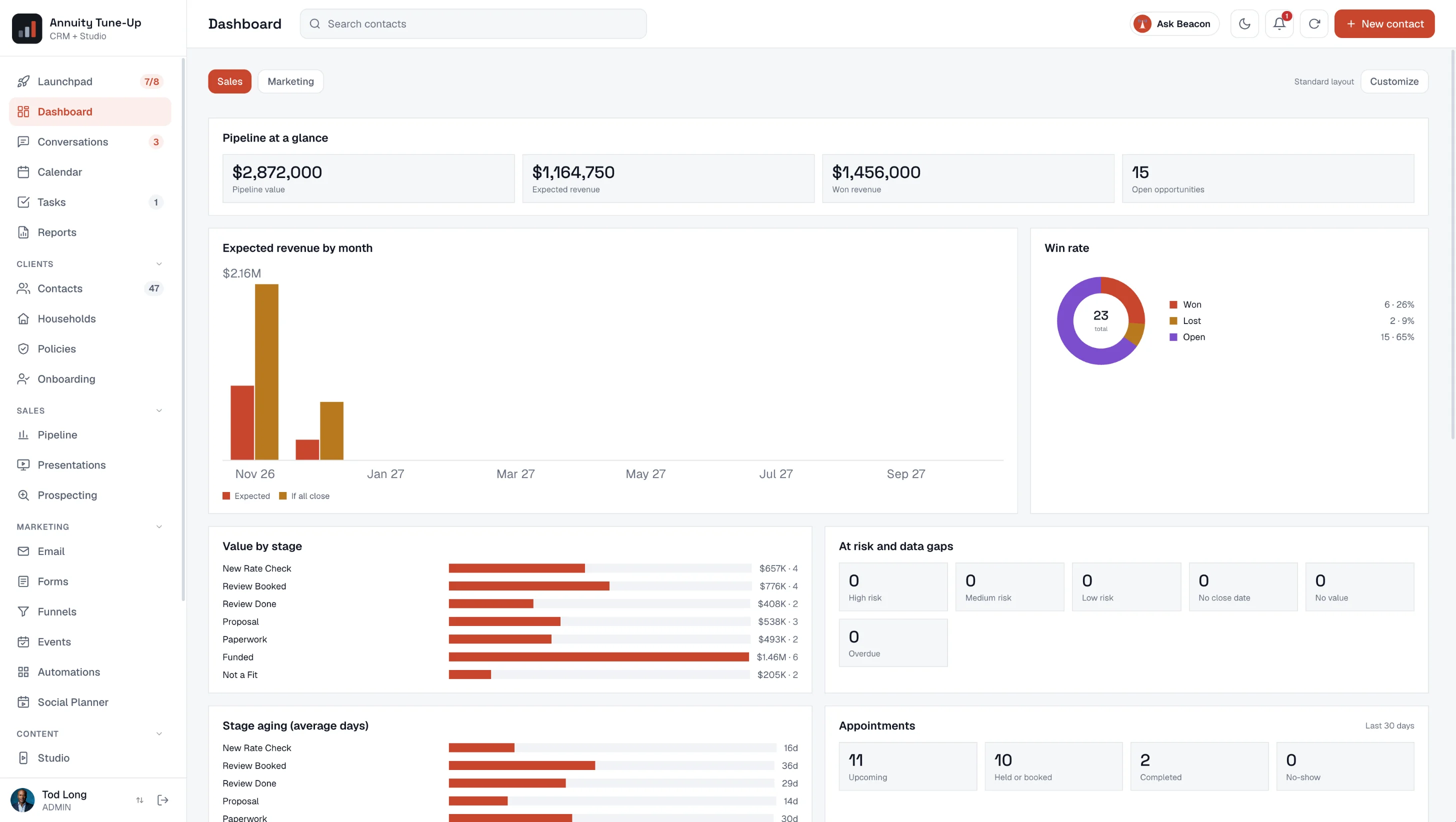
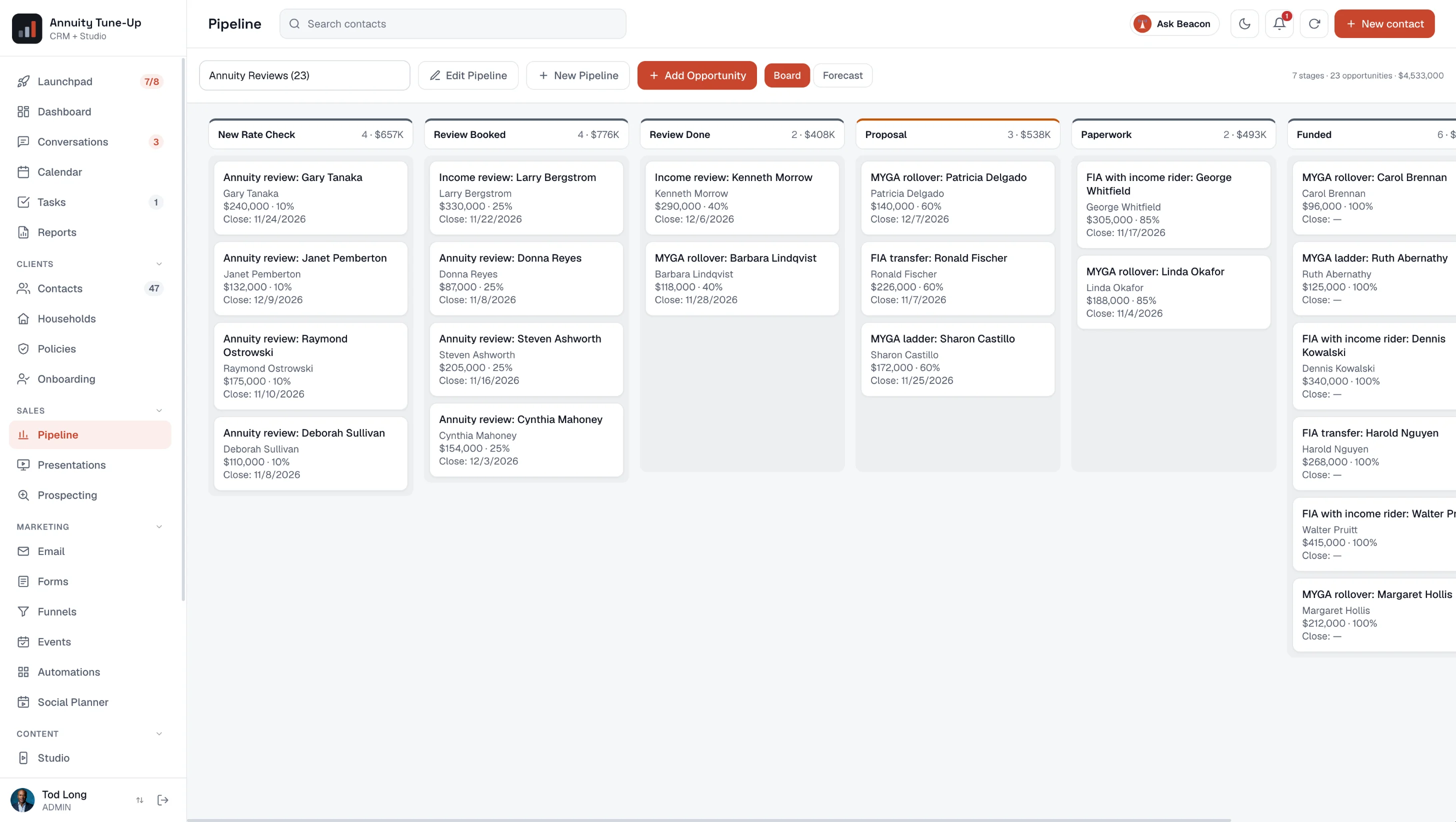
Clients, households and policies, a pipeline for every opportunity, and the day's calls, meetings and tasks waiting when you sign in.
- Contacts, households and policies, with a full-screen client record and one timeline of everything
- Conversations: every text, email, call and fax in one inbox
- Pipeline, dashboards and reports with branded PDF export
- Calendar and booking links, Google or Outlook sync, automatic Zoom links
- A visual automation builder, email newsletters and funnels on your own domain
- Interactive presentations, seminars and events with registration and check-in
A steady stream of content, from what you already say
Add a podcast, webinar or video, or just type an idea. The Studio writes and builds the pieces for you to review.
- Vertical shorts with captions in your brand
- Ideas turned into voiced shorts, no recording needed
- Full-length YouTube videos and articles on your own blog
- Scheduled posting to YouTube, LinkedIn, Facebook and Instagram
- Social Autopilot: a week of posts, written for you to approve
- Evergreen webinars that run on a schedule and follow up by how much each person watched
Phone, texting and Voice AI
Every call answered. Every conversation in one place.
Get your own local number for two-way texts and calls from the client's record. Add a Voice AI receptionist that answers when you can't, takes messages, books meetings and transfers to you, and makes your reminder and follow-up calls.
- Texts, emails, calls and faxes land in one Conversations inbox, on the right contact
- Each call logs with its recording, transcript and summary
- Choose who answers each number: the assistant, or you first
- AI notes for Zoom, Google Meet, Teams and in-person meetings, with a follow-up task
Incoming call · answered by your assistant · 3 min
Raymond Ostrowski, prospect
Summary
His annuity's surrender period ended last month and he wants to know his options before it renews. Prefers afternoons.
Booked
Annuity review, Thursday 2:00 PM, with a Zoom link sent by text. Task added for you to pull his statement.
AI connector
Ask your AI assistant to build it. You switch it on.
Connect ChatGPT, Claude or any AI assistant that supports MCP connectors to your CRM and ask in plain English. It builds from your own tags, stages and templates, and saves what it makes switched off for your review.
- Look up clients, appointments and tasks on any plan
- Build forms, automations, email templates, presentations, booking meeting types, Facebook lead forms and newsletter drafts with the $29 add-on, included with Signature and Persona
- It can't send email or delete anything, and you choose what it's allowed to do
You
"Set up a no-show follow-up that offers to rebook and creates a call task."
Assistant
Done. No-show rebook is in Automations, switched off: a rebook email the same day, a reminder two days later, and a call task for you. It stops as soon as they book.
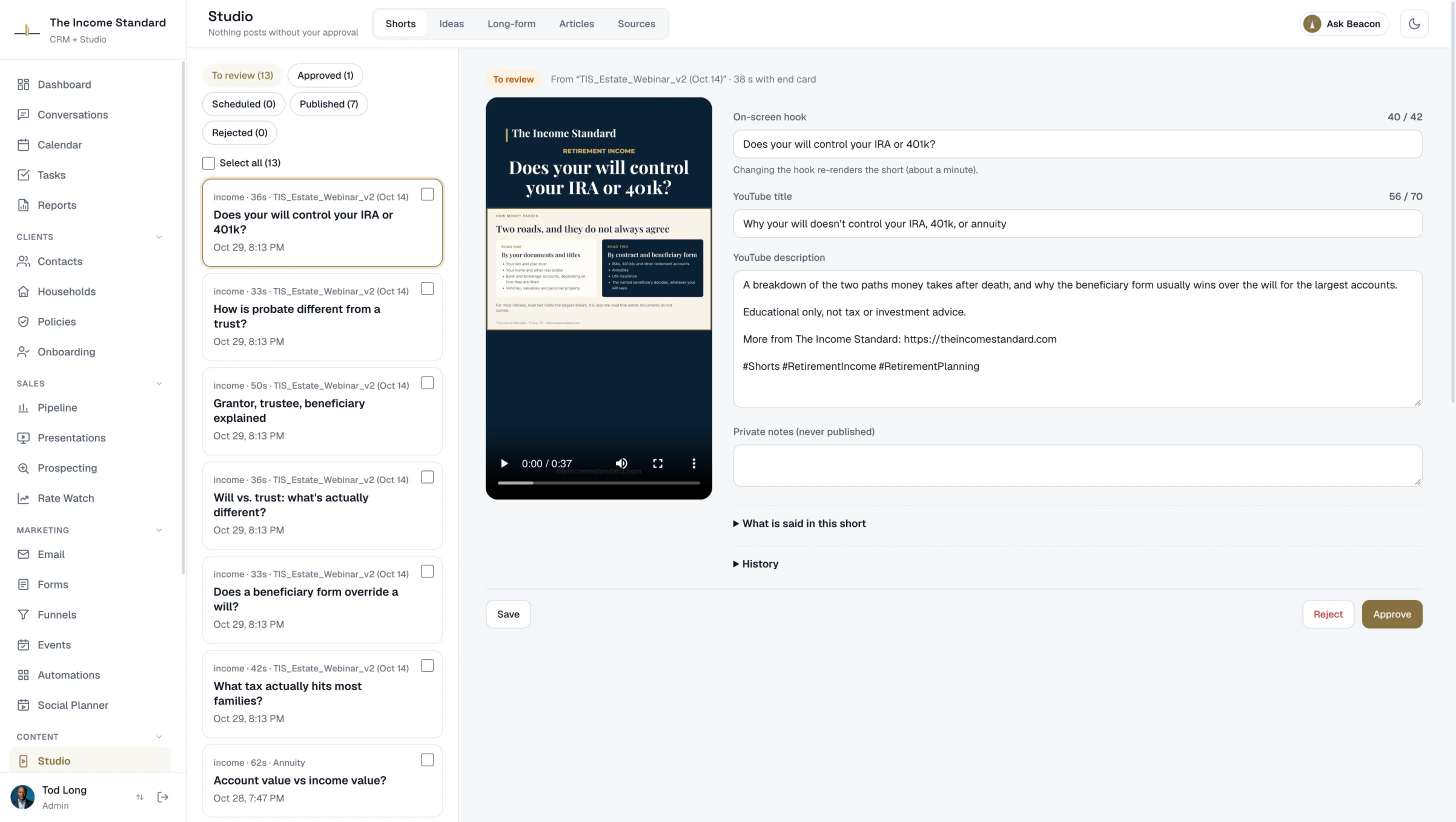
How the Studio works
You stay the editor. The Studio does the busywork.
Add a recording, or write an idea
Upload an episode or webinar, paste a link, or describe an idea in a sentence. No recording? Ideas become short videos voiced in a stock voice or your own.
Review and approve
Edit the hook, title and description, one at a time or in batches. A compliance check flags risky wording, like promised returns, before you can approve.
It goes out on schedule
Approved pieces post to YouTube, LinkedIn, Facebook and Instagram at the times you pick, and articles go to your blog. You get a weekly plan and a Monday numbers email.
Your brand, not ours
Clients see your name, your logo and your colors.
Your CRM, client portal, blog and funnels run on your own addresses, like crm.yourfirm.com. Every video carries your brand. Market under more than one name? Each brand gets its own logo, site, sending details, social accounts and texting number, with one login and one contact book.
Its logo, its colors, its own address
A separate firm on the same platform
And every short video goes out in the firm's own brand.


Built for a regulated business
Review comes first.
Advisors answer for what they publish and send. SignalWealth is built around that.
Nothing posts without you
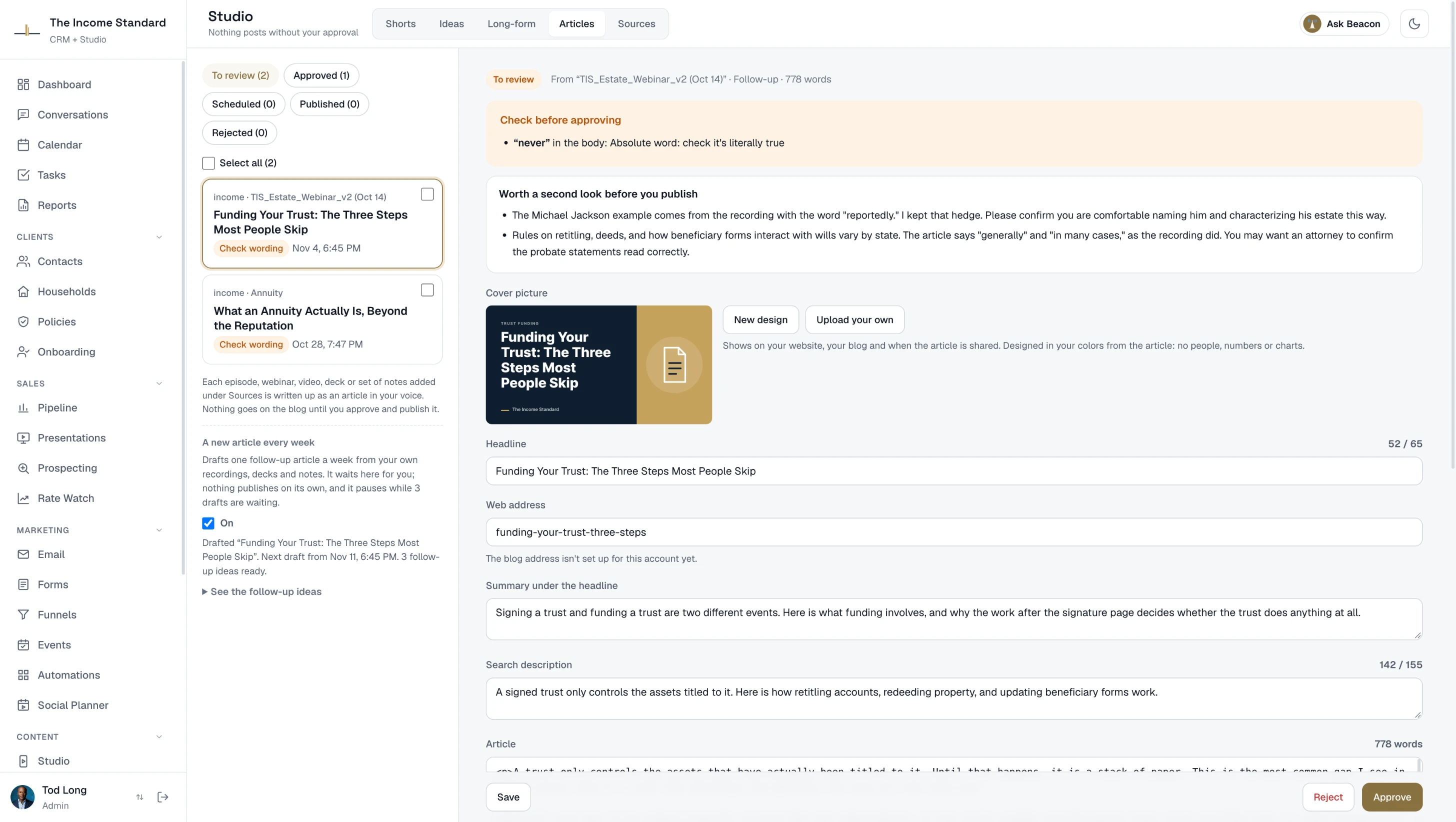
Every short, video and article waits for your approval, and approvals are recorded with a copy of exactly what you approved. Bring in outside reviewers when your compliance process needs them.
A wording check, and an archive
Promissory phrases are flagged and block approval until you change them, with your own watch words added. A copy of every email and text can go to your archiving service.
Your data, kept separate
Each firm's data is isolated from every other firm's. Two-factor sign-in is required for owners and admins, passkeys and Face ID work too, and you can export your contacts at any time.
Pricing
One price per firm. No setup fee.
Every plan includes up to three people. Founder pricing for the first 50 firms, locked while you stay subscribed.
CRM
$89/ month
Clients, pipeline, Conversations, calendar, booking, presentations and the Social Planner under your brand.
Signal
$199/ month
The CRM plus the full Studio, evergreen webinars and your own website, with stock voices.
Founder price, then $299.
Signature
$399/ month
Everything in Signal, in your own voice, with texting, calling, Voice AI and AI notes included.
Founder price, then $599.
Persona
$549/ month
Everything in Signature, with you on camera, made from your own footage.
Founder price, then $799. Reserve a spot.
Questions
Do I need the CRM to use the Studio?
Yes. The Studio is part of the same account, and every content plan includes the CRM for up to three people.
I don't have a podcast or webinar. Can I still use the Studio?
Yes. Type an idea and the Studio writes a script for you to edit. Approve it and it becomes a short video, voiced in a stock voice, or your own voice on Signature.
Where does my content get posted?
YouTube, LinkedIn (your profile or your company Page), Facebook and Instagram, on the schedule you set. Articles publish to a blog on your own domain. You can also schedule your own posts in the Social Planner on any plan.
Can I use my own domain and logo?
Yes. Your CRM, client portal, blog and funnels can run on your own addresses, like crm.yourfirm.com, with your logo and brand colors. Your clients never see ours.
I'm on GoHighLevel. Can I move?
Yes. There's an importer for your contacts, and a compatible API and API keys, so the tools you've connected keep working. How SignalWealth compares to GoHighLevel.
Is there a mobile app?
Yes. The SignalWealth app is on the App Store and Google Play, with sign-in by Face ID or Touch ID, on every plan.
Is there a contract?
No. Plans are monthly and you can cancel any time. Annual billing gets you two months free. The CRM comes with a 30-day free trial.
Can I use ChatGPT, Claude or another AI with my CRM?
Yes. Any AI assistant that supports MCP connectors can connect from Settings → API & AI connections to look up clients on any plan. With the $29 build add-on, included with Signature and Persona, it can also build forms, automations, email templates, presentations and newsletter drafts, saved switched off for your review. How the AI connector works.
Will there be an AI avatar of me?
That's the Persona plan: on-camera videos of you made from your own footage, with a digital twin option (Persona Plus) that presents new scripts without a new recording. We open spots in order; reserve yours.
Try the CRM free for 30 days.
Set up in about a minute on your own address, with a setup checklist to walk you through it. Add the Studio whenever you like.